Follow the steps below to drop a course. If you need to drop the course on or after the course start date, please submit a ticket on our Contact Us page.
- Log in to learning.umn.edu and select "Learner Login" under the "Login" dropdown menu in the upper right corner.

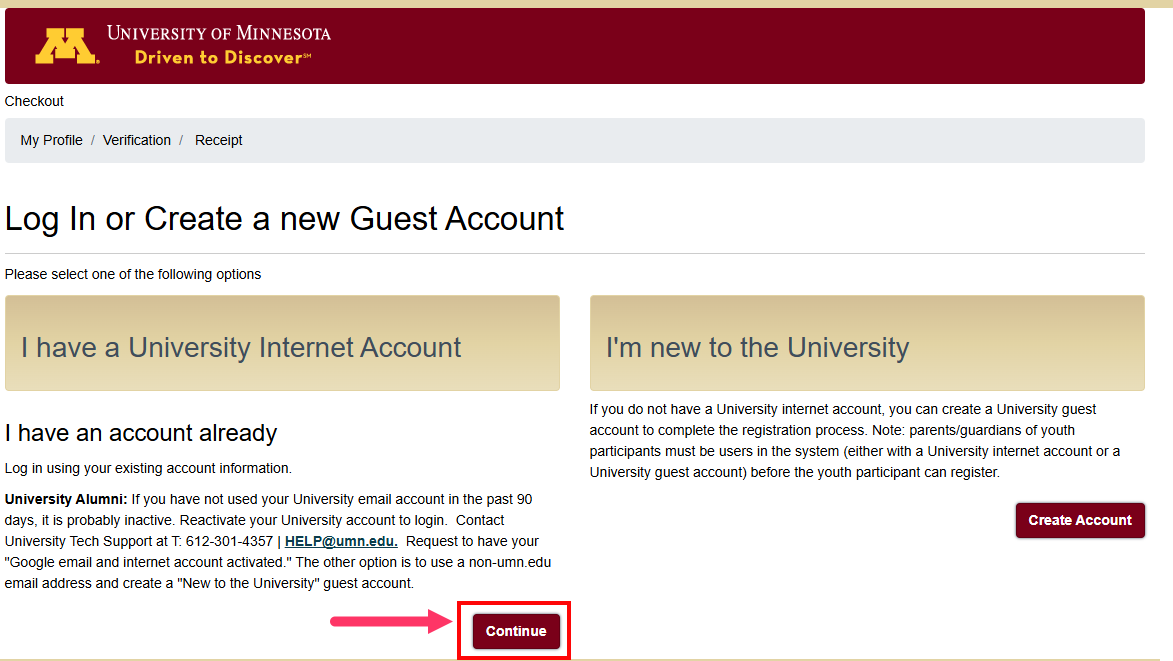
- Select "Continue" under "I have a University Internet Account". Enter your username and password and select "Sign In".
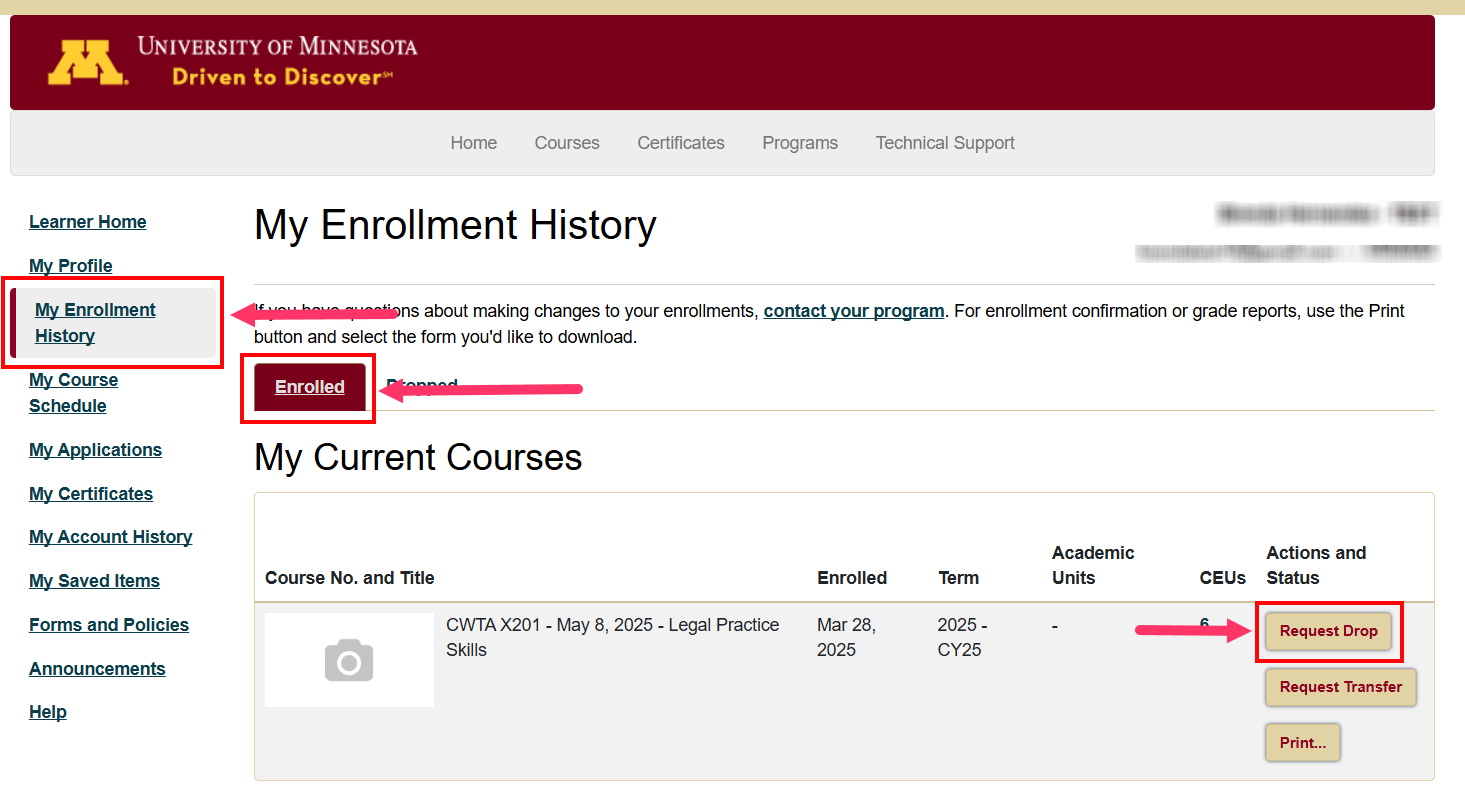
- On the left navigation bar, select "My Enrollment History", then select the "Enrolled" tab.
- Find the course you want to drop and select "Request Drop".
- You will need to choose a reason for dropping the class, then select "Submit" to process the request.
- Once UMN staff have approved your request, you will receive an email confirming your dropped training.
If you need additional assistance, submit a ticket on the Contact Us page. If you do not get an email confirming your ticket has been received, follow the steps in the Help Desk: No Response article.
Was this article helpful?
That’s Great!
Thank you for your feedback
Sorry! We couldn't be helpful
Thank you for your feedback
Feedback sent
We appreciate your effort and will try to fix the article