You need to enroll in the training to get access to the online course. Follow the steps below:
Step 1: Login
Log in to your training portal profile through the MN Child Welfare Training Academy website.
Step 2: Enroll in the assigned course
Navigate to "My Assigned Training" on your dashboard.
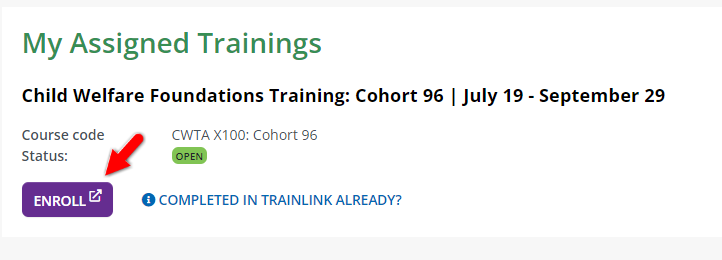
Select the purple "Enroll" button next to the assigned course. A new window will open where you will complete your enrollment for the course.
Select the link for more information about registering for a training course.
Step 3: Access the course
After you have finished enrolling, the course will now show up on your dashboard under "My Trainings". The purple enroll button will now say "GO TO TRAINING".
Select the link for more information about accessing your training.
If you need additional assistance, submit a ticket on the Contact Us page. If you do not get an email confirming your ticket has been received, follow the steps in the Help Desk: No Response article.
Was this article helpful?
That’s Great!
Thank you for your feedback
Sorry! We couldn't be helpful
Thank you for your feedback
Feedback sent
We appreciate your effort and will try to fix the article