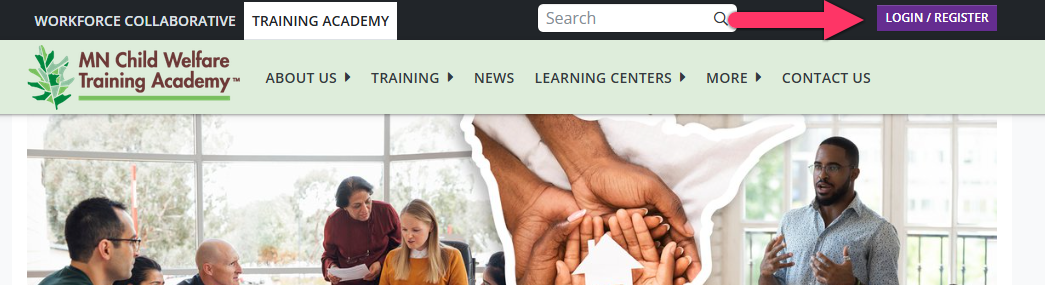
Once you have completed setting up your Training Portal profile, you will be able to access your Training Portal by visiting the Minnesota Child Welfare Training Academy website and following the steps below.
- Select the purple "LOGIN/REGISTER" button in the upper right hand corner.
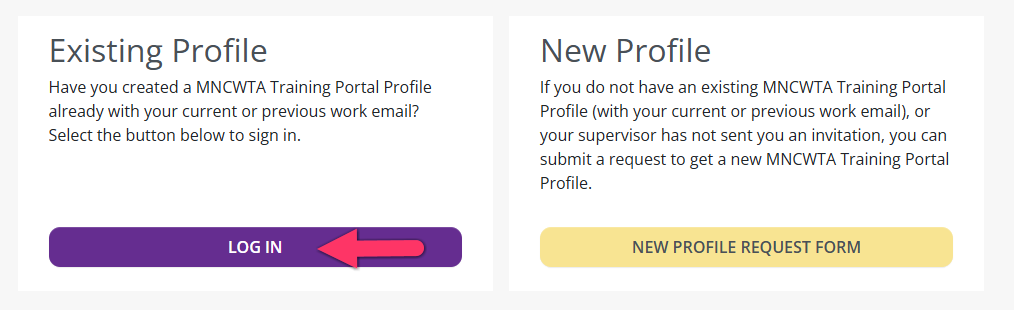
- The select the "LOG IN" button under "Existing Profile".
- Enter in your email and password information the select "Sign In".
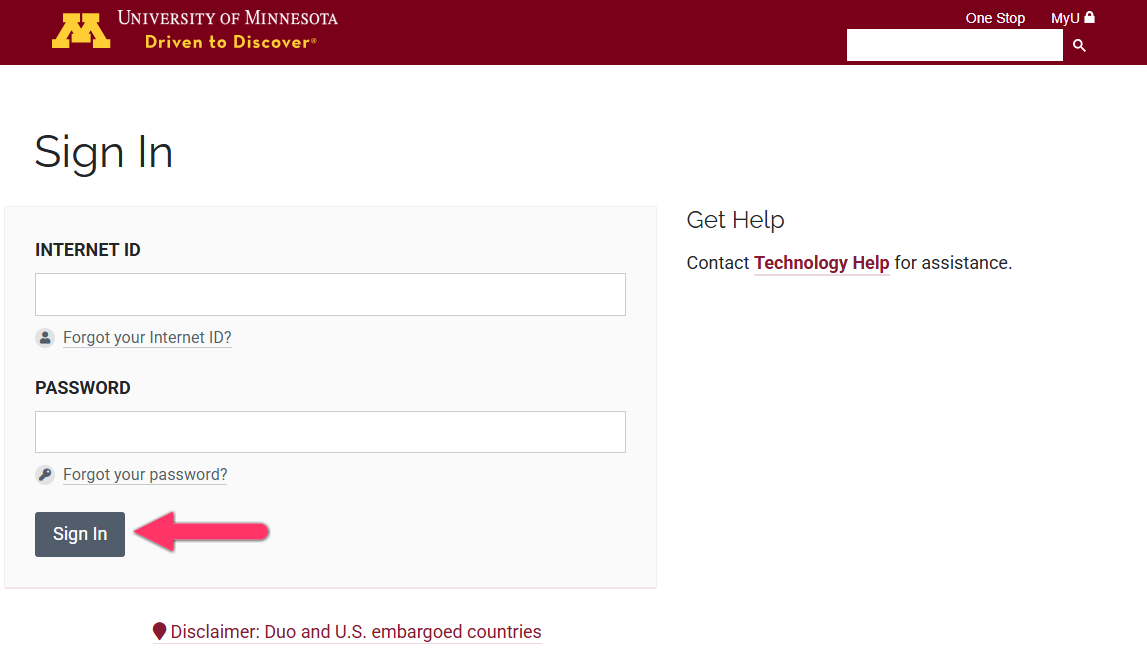
- After you sign in you should be logged into your portal account.
If you need additional assistance, submit a ticket on the Contact Us page. If you do not get an email confirming your ticket has been received, follow the steps in the Help Desk: No Response article.
Was this article helpful?
That’s Great!
Thank you for your feedback
Sorry! We couldn't be helpful
Thank you for your feedback
Feedback sent
We appreciate your effort and will try to fix the article