Learn how to view your training schedule, progress, locations and links for your New Worker Foundations training sessions in the Training Portal. Watch the video or view the information below:
Watch video below:
To access your cohort schedule, go to Learner: My Training and the select View Schedule and Progress button. 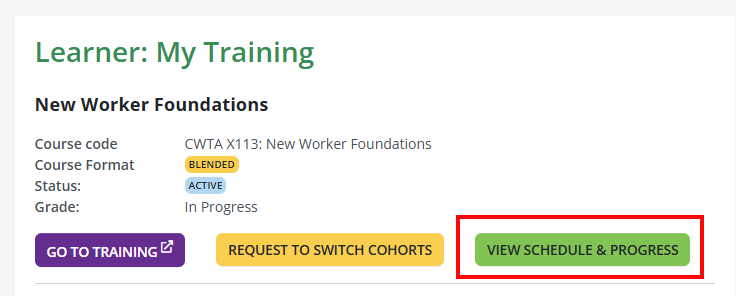
The screenshot below shows the View Schedule & Progress page. Use the key underneath to understand what each column, link, and status means: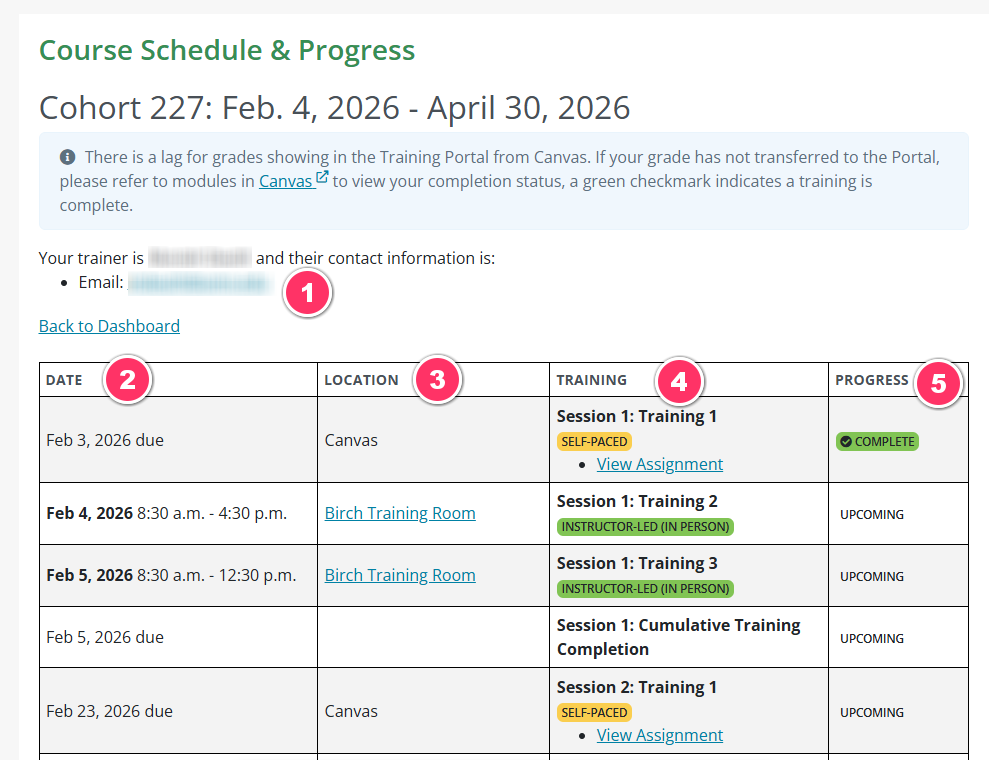
Key:
- Trainer contact information.
- Date Column:
- Self-paced sessions: This date is the due date.
- Instructor-led sessions: This date shows the scheduled training date and time.
- Location Column:
- Self-paced session: Location will list as Canvas
- In-person session: The room name is listed here. Select the location link to view facility details.
- Virtual session: Location will list as Zoom
- Training Column:
- Self-paced session: Select View Assignment to open the assignment in Canvas.

- Virtual session: Select View Link to join the Zoom meeting.

- Self-paced session: Select View Assignment to open the assignment in Canvas.
- Progress Column:
- Your status will show "Upcoming" until the training is completed, then it will change to "Complete".
- Self-paced session grades: Grades may take a few hours to update in the portal after you finish.
- Instructor-led session and cumulative grades: Your trainer will update these in the portal.
In the portal, you can select the Go To Training button. This will take you directly to the Canvas course homepage.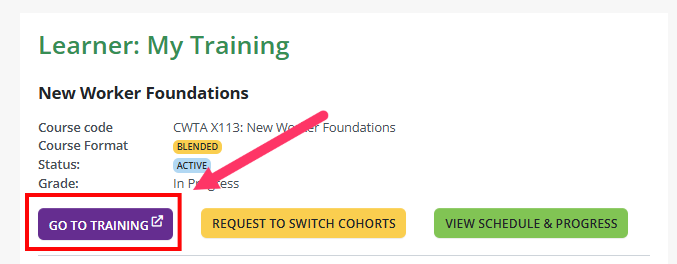
If you need additional assistance, submit a ticket on the Contact Us page. If you do not get an email confirming your ticket has been received, follow the steps in the Help Desk: No Response article.
Was this article helpful?
That’s Great!
Thank you for your feedback
Sorry! We couldn't be helpful
Thank you for your feedback
Feedback sent
We appreciate your effort and will try to fix the article