This help article will walk you through how to withdraw from a waitlist.
- Go to learning.umn.edu and select "Learner Login" under the Login dropdown menu in the upper right corner.

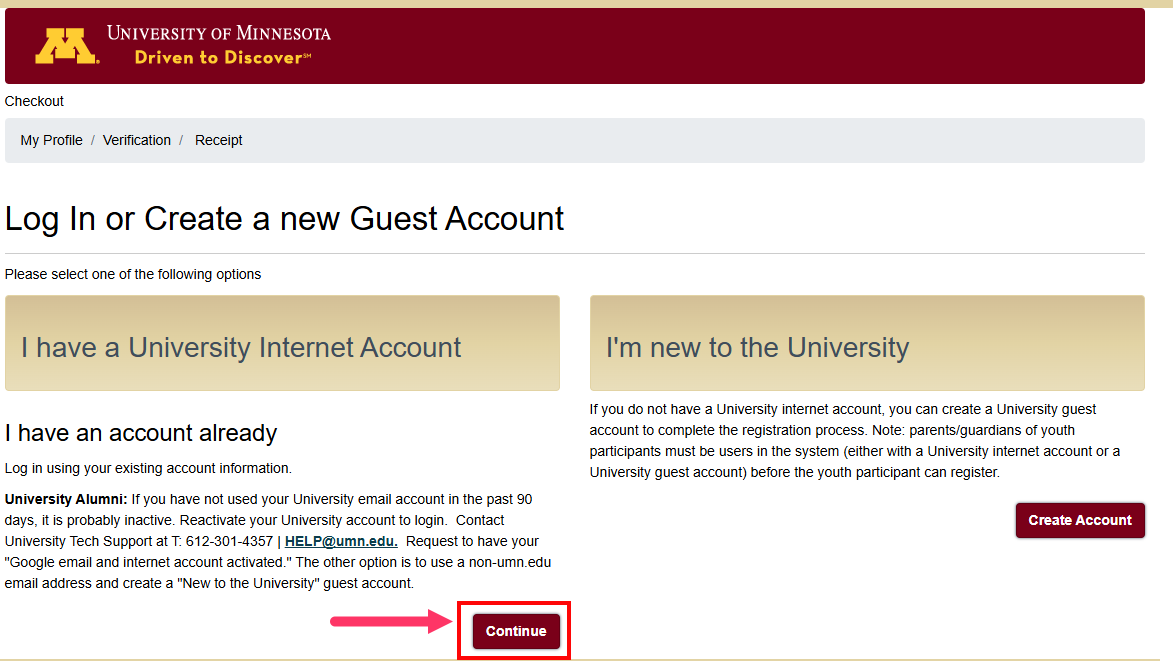
- Select "Continue" under "I have a University Internet Account". Enter your username and password and select "Sign In".
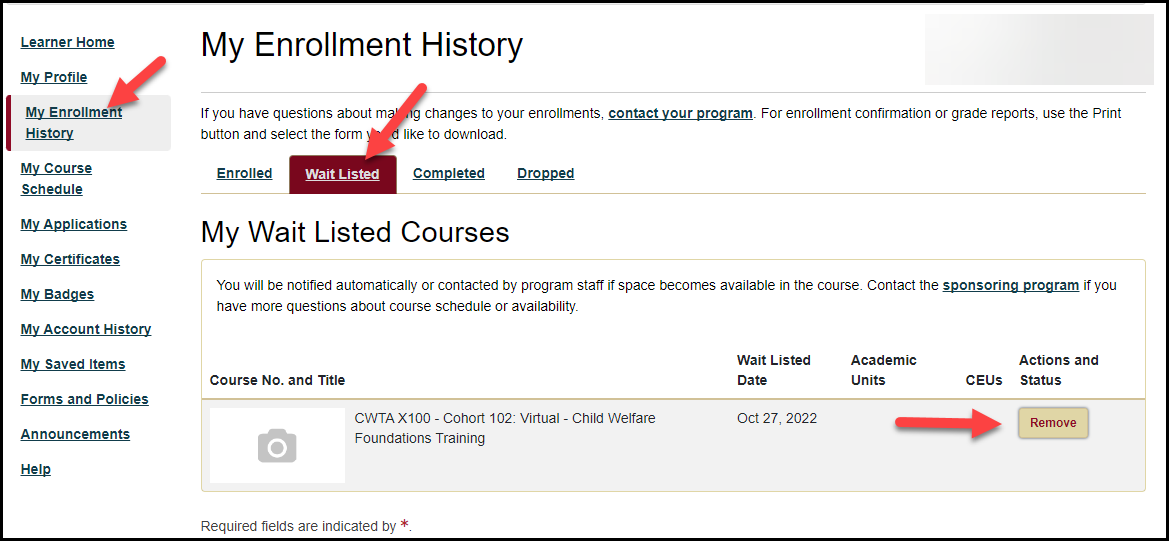
- On the left navigation bar, select "My Enrollment History"
- Select the "Wait Listed" tab.
- Find the training and select "Remove".
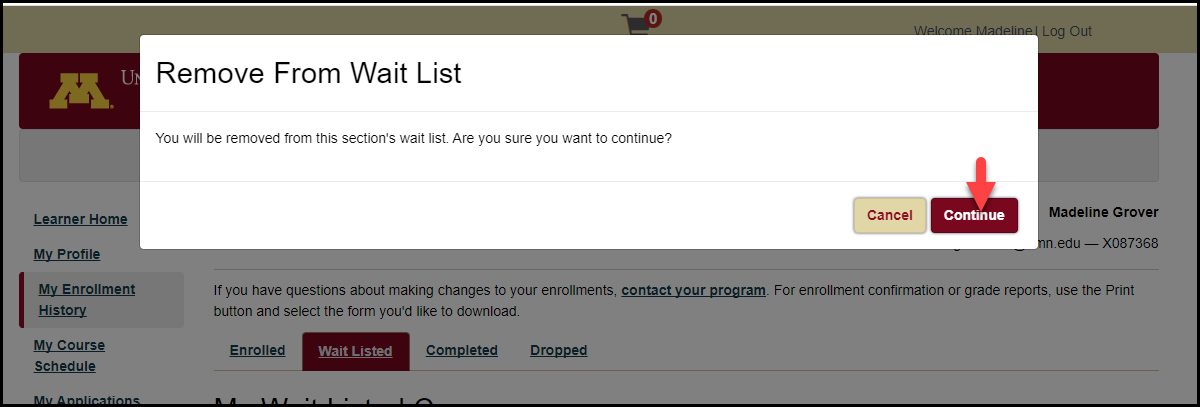
- Select "Continue" to begin the removal process.
If you need additional assistance, submit a ticket on the Contact Us page. If you do not get an email confirming your ticket has been received, follow the steps in the Help Desk: No Response article.
Was this article helpful?
That’s Great!
Thank you for your feedback
Sorry! We couldn't be helpful
Thank you for your feedback
Feedback sent
We appreciate your effort and will try to fix the article